
CanvasPro One.
Big screens, small teams.
Bringing digital signage simplicity to the media server world. Delivered turnkey with certified hardware, designed for the daily workflows that keep screens running, and the moments that make them spectacular.
Up to 6
Frames of content from one player
Up to 8K+
or 33+ megapixels, any aspect ratio
<1 frame
Average timing drift across a day
Why CanvasPro One
Built for how teams actually work.
Everyday
Simple stays simple.
Upload, schedule, preview, go live, override. The workflows you run every day are fast and obvious. What used to need a production crew of five now runs with a team of one.
When it matters
Power when you reach for it.
Broadcast-grade real-time 3D, multi-engine rendering, live data, interactive scenes. All ready the moment you need them. Complexity only surfaces when you reach for it.
Always ready
Ready the instant you are.
3D graphics, videos, data-driven scenes, all preloaded and ready to play on demand. Content appears the instant it is needed. Every scene ready. Every play on time.
Editions
Two tiers. Same DNA.
Pick the size that fits the install. Both editions ship turnkey with certified hardware and share the same browser-based control, scheduling, and orchestration layer. Core is built for venues and event spaces. Enterprise is built for the installations where nothing less than extraordinary will do. Software-only available on request.
One Core
Sports venues, event spaces, showrooms
- 4 frames of content
- 2×4K or 16 megapixels at any aspect ratio
- 10 scheduling channels
- Ventuz real-time 3D with Unreal and Notch integrations
- SDI, NDI, HDMI inputs
- Optional genlock sync
- Web UI
- Basic proof-of-playout logging
One Enterprise
Spectaculars, experiential, immersive
- 6 frames of content
- 8K+ or 33 megapixels at any aspect ratio
- Multi-GPU rendering
- Multi-machine clustering
- 20 scheduling channels
- Ventuz real-time 3D with Unreal and Notch integrations
- Full SDI, NDI, HDMI input and output
- Optional genlock sync
- Web UI
- Basic proof-of-playout logging
Production
For the team behind the screen.
The pieces that AV integrators, IT teams, and operations leads ask about first.
Web UI
Every player, every screen, every output. Managed from any browser on any device, with no dedicated workstation or specialist software to install.
Asset library
Videos, images, Pro AV codecs (including NotchLC), live feeds (NDI, SDI, HDMI, IP streams), HTML5, Ventuz .vza scenes, live data-driven graphics. All organised automatically.
Scheduling engine
Schedule by time, daypart, weather, live data, or manual cue. Break the schedule the moment you need to, then pick up where it left off.
Sub-frame reactivity
Reaction time measured in milliseconds, not seconds. Cue a scene and it is on screen before the operator blinks.
Frame-accurate timing
Averages within 1 frame at 60fps across a day's playout. Every play logged for proof-of-playout reports, campaign by campaign.
Beyond the playlist.
Template-based zoning, live animations, data-driven behaviour, interactive scenes. Anything from a fullscreen rotation to six advertisers in patchwork, designed in Ventuz and driven by CanvasPro One.
Live data and interactive
Bind scene variables to live feeds, sensors, and APIs. Drive content in real time from scoring systems, weather, crowd triggers, and bespoke data sources.
Live scene control
Edit scene variables, colours, triggers, and animation parameters and see the changes on screen instantly. No compile step, no separate workstation, no waiting for a render.
One-click override
Swap playlists, edit scene variables, override the schedule without stopping playback. Emergency messages live in seconds.
Integrations
DMX lighting, audio, broadcast hardware. Turn the content system into the broadcast system via SDI, NDI, or SRT.
Triggers
Every scene change becomes a cue. Send OSC to lighting desks, fire RS-232 to legacy hardware, call HTTP webhooks, or sync channels across multiple players. All in parallel with playback.
Multi-user with roles
Multiple operators logged in at once with role-based permissions, MFA support, and audit logging on every action. The pieces an IT review actually asks for.
REST API and WebSocket
Full HTTP API for content, scheduling, and playback control. WebSocket for real-time updates. Build custom integrations or wire CanvasPro into the systems you already run.
Self-swap mode
Push new data into a running template without reloading it. The transition technique behind every Piccadilly Lights takeover, where the canvas never goes dark between brands.
Specifications
Technical reference.
| Rendering engines | Ventuz as primary. Unreal Engine, Notch Blocks, and HTML5 available as integrations. |
| Content frames | One Core: 4 One Enterprise: 6 |
| Maximum resolution | One Core: Up to 2×4K One Enterprise: 8K equivalent Any aspect ratio. |
| Signals in and out | SDI (SD/HD/3G/6G/12G), NDI, HDMI, DisplayPort, Spout, IP streams, SRT |
| Video codecs | H.264, H.265, HAP (Alpha/Q/HDR/R), NotchLC, ProRes, MPEG, VP8/VP9, and most modern video formats One Enterprise adds: DNxHD, DNxHR, XDCAM, MXF |
| Video containers | MP4, MOV, MKV, WebM, AVI, MPEG, TS/M2TS |
| Audio | WAV, MP3, AAC, FLAC, OGG, OPUS, M4A, AIFF |
| Images | JPEG, PNG, TIFF, WebP, DDS, EXR, AVIF, HEIC, HDR |
| Data | JSON, XML, Excel (xlsx/xls), live APIs, sensors, data feeds |
| 3D geometry | glTF 2.0, FBX, OBJ, COLLADA, STL, STEP |
| Synchronisation | Optional Genlock sync across outputs |
| Command latency | Sub-frame between operator input and on-screen action |
| Timing accuracy | Averages within 1 frame at 60fps across a day's playout |
| Control interface | Browser-based, multi-user, tablet-ready |
| Logging | Proof-of-playout reports, campaign-level attribution |
| Orchestration | Local management on-player; fleet management via Omni (available soon) |
| Integrations | DMX lighting, audio, broadcast hardware, scoring systems, APIs |
In the wild
Case studies.
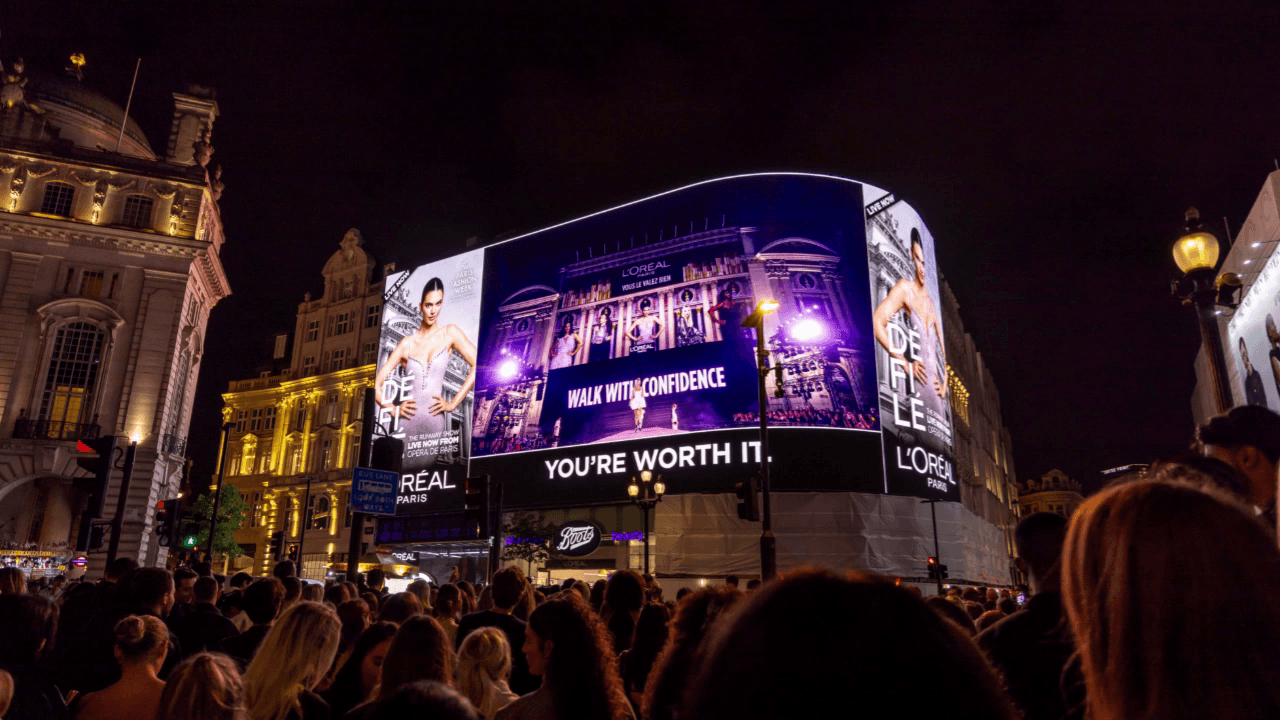
Ocean Outdoor · DOOH · London
Piccadilly Lights
Best-in-class DOOH in central London. Six advertisers in patchwork with four asset sizes each, 40-second takeovers every ten minutes, and unique transitions animated across the full 5490×2160 canvas in real time.
Recent moments orchestrated through CanvasPro
L'Oréal Worth It Experience, the first TikTok livestream from inside the venue onto the screen above. Disney TRON: Ares premiere, full DeepScreen takeover. KSI vs IShowSpeed Fatal Fury, over 100 million social impressions. Williams Racing, Sky Sports, and Audi.
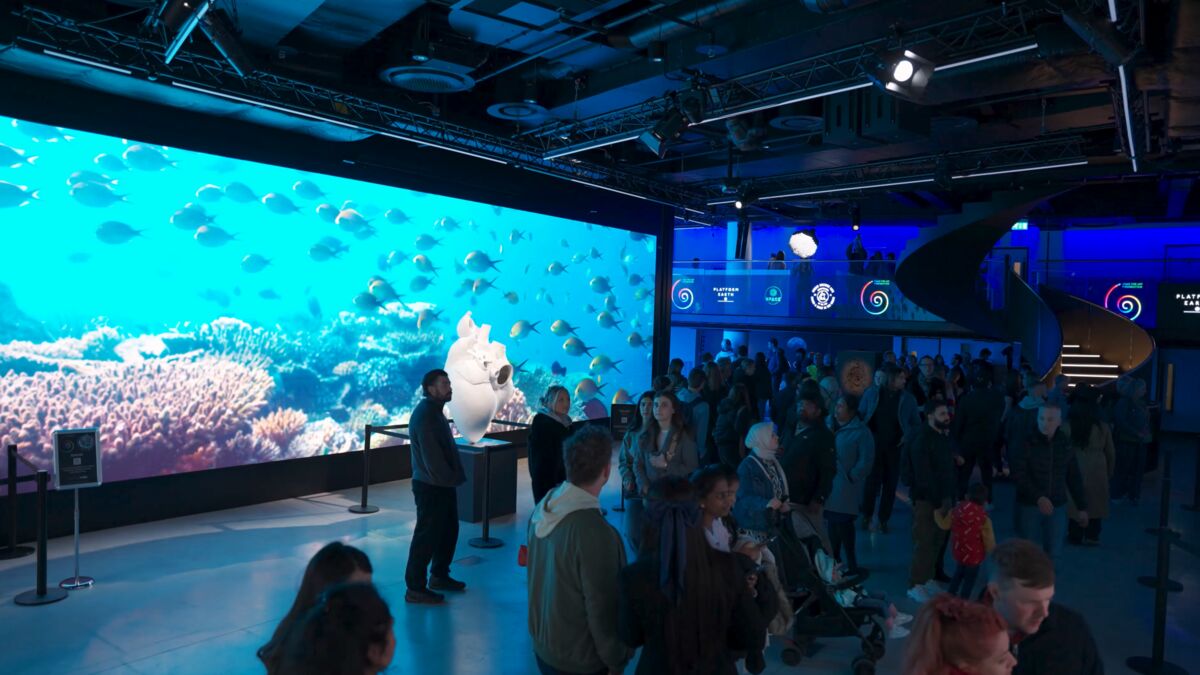
Landsec Spotlight · London
The Venue at Piccadilly Lights
Immersive event space beneath Piccadilly Lights, three floors and 540 capacity. CanvasPro One drives the large-format displays and the mesh ribbon for product launches, pop-ups, and brand activations. The space has hosted activations from L'Oréal, Sky Sports, Williams F1, Disney, and Audi.
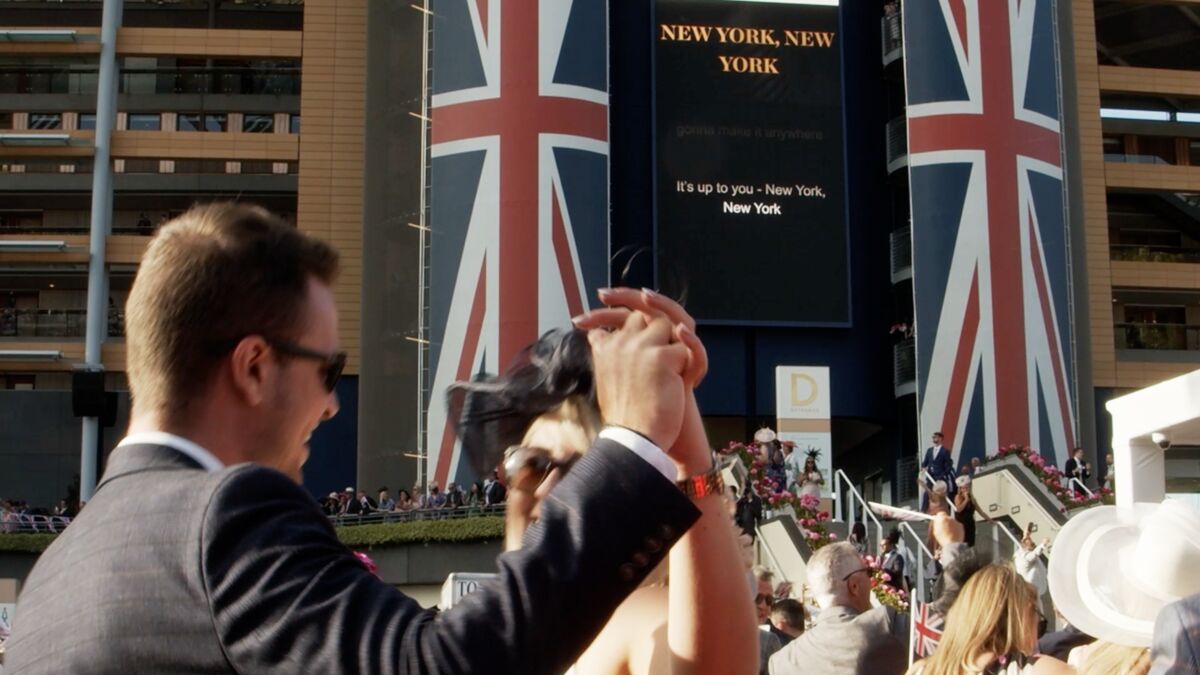
Royal horse racing · UK
Ascot Racecourse
Outdoor LED screens across the racecourse. Race-day graphics, sponsor content, and the open-air karaoke moment that turns the screen into a crowd experience between races.
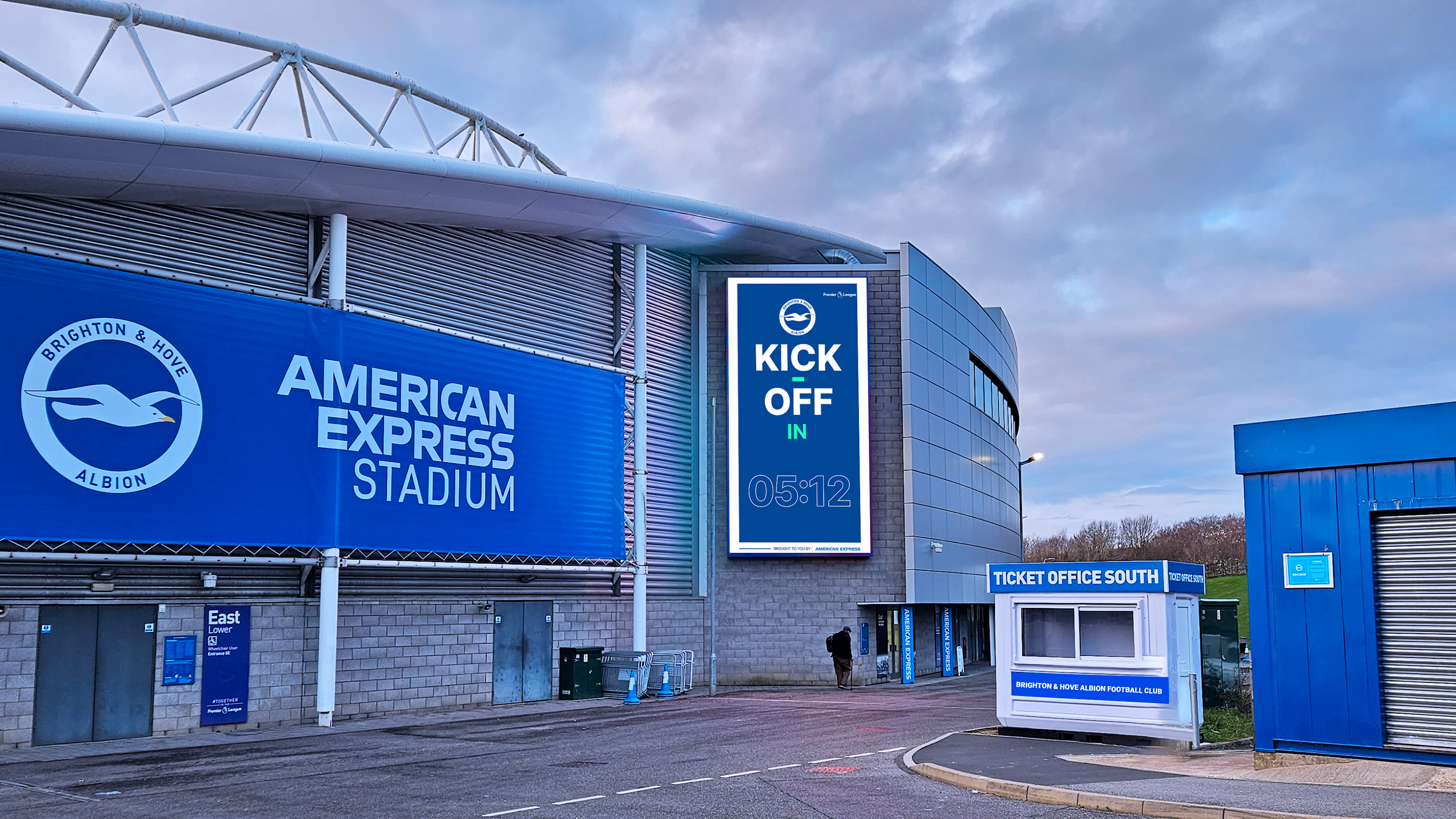
Premier League · Amex Stadium
Brighton & Hove Albion
Outdoor LED screens around the Amex Stadium. Match-day graphics, sponsor content, and data-driven countdowns, all running from one schedule.
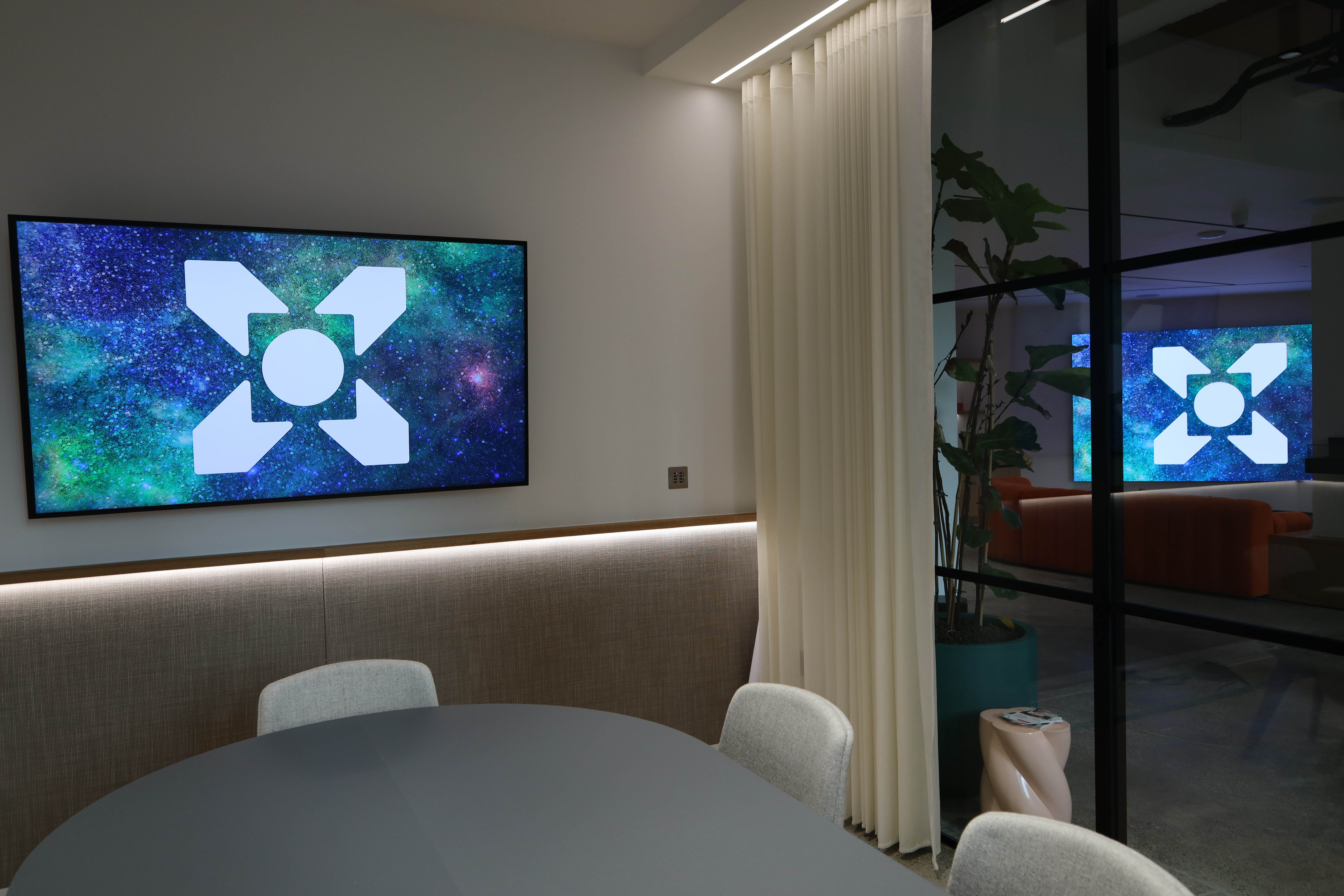
Landsec · London workplace
Timber Square
Corporate workplace installation at Landsec's Timber Square. Primarily used for premium client presentations, driven from a single browser.
FAQ
Common questions.
How does it deploy?
What does the IT and security review look like?
What's the support model?
How does it scale across multiple screens or sites?
Can we bring our own Ventuz, Unreal, or Notch content?
Do we need a specialist team to run it?
What if we need something CanvasPro doesn't do yet?
Ready to see it on your screens?
Book a walkthrough and we will run CanvasPro One against the install you have in mind.